Wednesday, April 06, 2011

Ideas for Stop Motion Animation

Creating Stop Motion Animation can be a great way for students to engage in learning content of any subject area. Stop Motion can be created in different ways. It can be divided into using 2D or 3D materials.


2D:

• Whiteboard and whiteboard marker

• Post it notes

• Cut outs, print our characters and make body parts moveable

• Foams letters or magnetic letters (Great for title sequence to add some interest)

• Roll out modelling clay and use cookie cutters


3D:

• Modelling clay (Make shapes or characters)

• Toys eg. Legos, action figures

• Objects eg. Stationery, cutlery, buttons, paddle pop sticks

• Create a set out of a box.

• Document change: Set the camera to take photos in intervals and document change eg. The sky, a plant growing etc.


Students have fabulous ideas and the best intentions, unfortunately their abilities can restrict the production of these ideas. Modelling clay characters can be difficult. I found these great people and bird add on pieces to push into clay. They make fabulous creatures without needing any modelling skills (and they are fun to make).


Here are some scaffolding activities I use as an introduction to build confidence:


• With a whiteboard, create the illusion of writing your name with your finger.

• Make a piece of paper fold up and then unfold by itself. (Done by reversing slides)

• Make buttons follow each other in a line


Here are some ideas for animations:

• Convert a fairytale, fable or nursery rhyme.

• Adapt a movie story line

• Create a Music Film clip

• Convey a message ‘Save the Environment'

• Re-write history

• Create characters from a novel students are reading

Here are a few You Tube videos I like to show students to give provide inspiration:


The Animals Save the Planet - Energy Efficient Penguin

(There are many others in this series)

Clay Play

There was a Time

Deadline - Post it Stop Motion

Ping Pong Ball Stop Motion

Legos-Grease

Wimp Yourself - Avatar Maker

Here is another fun avatar maker where students can create their own characters which they can then make a story or add them into a comic.


Using Powerpoint to Remove Backgrounds

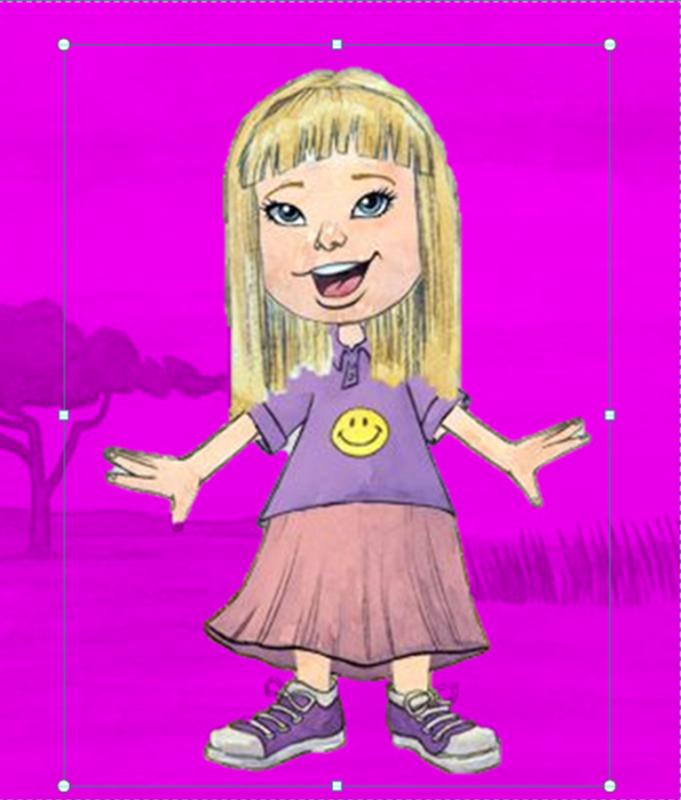
I love Powerpoint (yes you heard right).  Once you start playing with the page dimensions it is amazing what you can come up with.  I use it mainly now for designing and making comics rather than presentations.  One great feature with I love on the 2010 PowerPoint is the Remove Background option. When you insert an image and select Picture Tools you will see this tool bar.


Select Remove Background.  The background will appear purple.  Just move the selected area until the image you want to keep has no purple on it.


When you are happy with your selection, click on Keep Changes and …..


By cropping an image or yourself out of a photo it allows you to create some great learning activities which can apply to a range of contexts such as,

  • Paste face on to animals, creatures or avatars
  • Go on a Virtual field trip: place yourself into images from around the world
  • Time travel: place yourself into images from history
  • Personalise a story: students can place themselves into a story
  • Experiment with scale: make an object look larger or smaller than real life by placing it next to another object. Here is an example from http://www.worth1000.com/ 

Creature Creator - Spore 2D

Here is a fun creature creator, Spore 2D http://www.spore2d.com/

It is derived from the Spore game but is simply the creature creator and easy to use. Students can create a creature of their choice. This can be used as stimulus for a writing task, comics, art work or students could decide the habitat in which it would live.

You can save your final creature to a file on your computer as a .png file.


Conversations Between Characters

Here is an example of a homework assignment on investigating the important aspects of friendship.  First the characters were made using a WeeMee avatar creator app on my iPad you could use online avatar makers.  Then you can remove the background of the characters this can be done in 2010 PowerPoint, paint.net or photoshop.  Using PowerPoint, you can then selected the background setting and then work on the dialogue.  here is the finished result.

The idea of having two characters having a conversation means the characters can be talking about any topic such as reflecting, giving information, revison, speaking in another language, using spelling words etc.


Creating Characters for Comics

Yesterday I ran a Digital Graphic novel workshop for teachers which lasted all day.  We looked at a range of learning activities using comics to engage students in learning. One activity was to provide a comic with empty speech bubbles and the students add in the speech. This allows students to interpret the image and then decide on the appropriate text for the comic.

I have added these two examples here to show how you can create characters for comics by taking images One is simply using dinosaur toys and removing the background and replacing it with a desert scene. The second was created using a ball of modelling clay and pushing in features to create the characters. I have left the bubbles empty in case you want to have a play and add in the speech. These characters could also be used for Stop Motion Animation.


Sunday, February 06, 2011

Travel Back in Time with Interactive Timelines

One of the things I like about the internet, is it allows resources to become interactive. There are many interactive timelines which are available now, which provide an engaging way to look at history. Teachers can use them on Interactive whiteboards and they can cater for a range of subject areas. Students can explore on their own, find information for a research task or search for items similar to a scavenger hunt.


Conflict History

One in particular is called Conflict History. This site provides a timeline of the conflicts around the world throughout history. The site also provides a map of the world linking the countries involved in the conflict. There is information provided on each conflict provided by Wikipedia. This is a great resource for History and Geography. The scary thing is to see how many conflicts are documented in the 2000s.


Here is another great interactive timeline which can be used across many subject areas such as Ancient and Modern History, English, Science, Art and Music. The site is called the British Library interactive timeline. It allows you to explore collection items chronologically, from medieval times to the present day.


It includes a diverse range of resources divided into the following categories:

  • Politics, power and rebellion
  • Literature, Music and Entertainment
  • Everyday
  • Sacred texts
  • Medicine, Science and Technology
Once you have chosen the category and the item you can explore further by viewing the image, video or transcript. You can print or download the information as a pdf file.


Here are a few Interactive timelines more worth looking at:


This site gives information about Andy Warhol and the major events in the world during the 1920s – 1960s.

Interactive Timelines for Art History